Account Security
Your forum account is reputational collateral worth years of work. Losing it to a credential stuffing attack, weak password, or hijacked email costs more than most users realize. The fixes are quick + free.
The basics
Unique strong password. Generated by a password manager and never reused on any other site. Length beats character-class rules — a long generated passphrase is stronger than a short one padded with symbols. Bitcointalk's user database has been compromised in the past: treat any password you have ever used on the forum as potentially exposed, assume it could be in a breach dump, and never reuse a forum password anywhere else.
Different email for the forum. Not your main email. Not the email tied to your exchange accounts. A dedicated address used only for the forum, with its own strong password + 2FA.
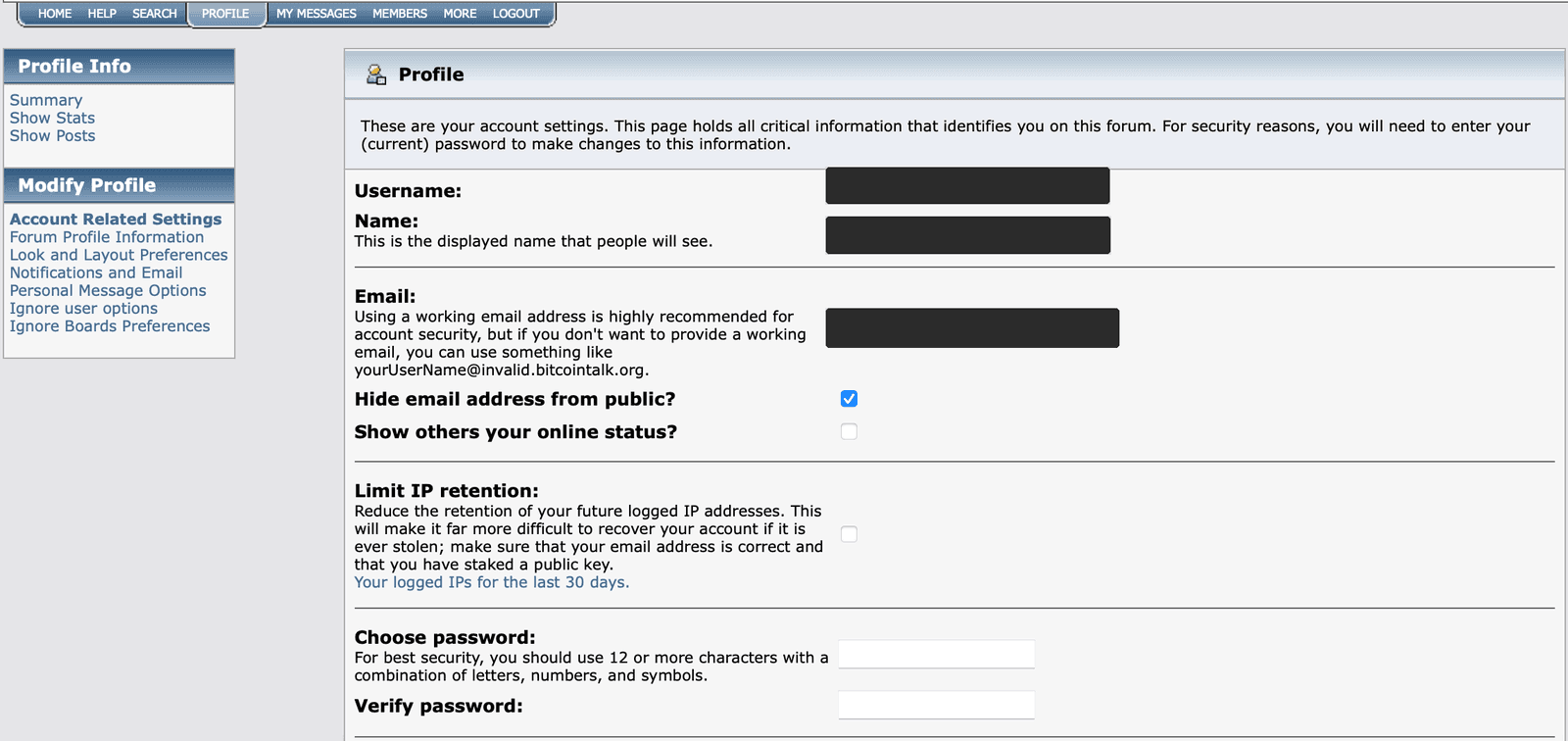
Your password and forum email are both changed on Profile > Account Related Settings — the same page an attacker needs, so protect the email that guards it.
source · accessed 2026-09-07 · Operator's own account: the username, display name and email are solid bars flattened into the image.
Two-factor authentication on the email account. The forum's email is the recovery path. If an attacker compromises the email, they compromise the forum account. Use an authenticator app if you can — SMS codes can be stolen by SIM-swapping. SMS two-factor is still far better than none.
The Academy does not recommend a specific app. Judge one on whether it is actively maintained, whether it lets you back up or export your codes so a lost phone is not a lost account, and whether it stores those codes somewhere you control.
Forum-level 2FA
Bitcointalk supports TOTP two-factor authentication — the same one-time-code standard your authenticator app already uses. It lives on the same page as your password and email:
- Click Profile in the top menu, then Account Related Settings under Modify Profile in the left-hand menu.
- Scroll to the two-factor fields and tick Enable two-factor authentication?
- Add the Shared secret (Base32) to your authenticator app, or scan the QR code on the page, and type the code the app generates into Confirmation OTP.
- Enter your Current Password at the bottom of the page and click Change profile.
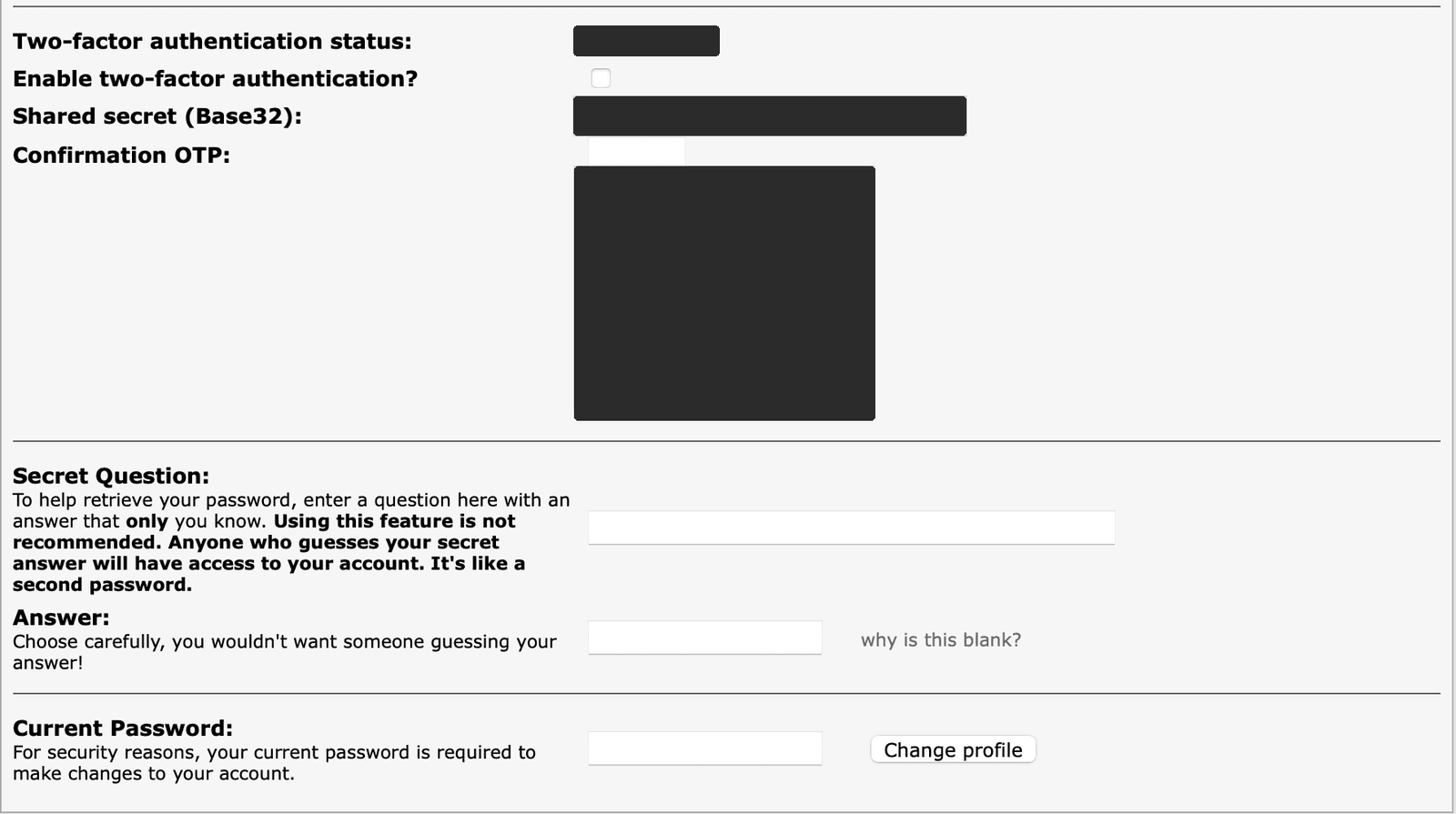
Forum TOTP 2FA is enabled on Profile > Account Related Settings with a shared secret and a confirmation code; it defeats credential stuffing but not phishing or malware.
source · accessed 2026-09-07 · Operator's own account: the two-factor status value, the shared secret and the QR code are solid bars flattened into the image.
This adds a per-login challenge, which defeats credential stuffing — someone who has your password from an old breach still cannot log in. It does not protect you from phishing, malware on your machine, or a stolen session cookie.
Sessions + devices
- Log out when finishing on shared devices
- Periodically review active sessions (when supported)
- Don't stay logged in on devices you don't fully control
What to do if compromised
- Reset password immediately from a clean device
- Force-end other sessions if the option exists
- Reset email password + check for forwarding rules added by attacker
- Check for impostor PMs sent in your name
- Post in Meta to disclose so others know your recent posts may be the attacker
- Follow the forum's recovery process (below) if you can no longer get in
Stake an address while you still can
Recovery gets much easier if you can prove, cryptographically, that the account is yours. The standard way is to "stake" a Bitcoin address: post it publicly from your account while you still control it. If the account is ever taken, signing a fresh message with that address's key shows you are the original owner.
You do not need a thread of your own for this. Since 2015 members have staked their addresses in one long-running thread started by Tomatocage:
BTStake your Bitcoin address herebitcointalk.orgPosting there leaves an old, dated post that moderators can find. What matters later is that the post is unedited, so write it once and leave it alone. The thread also has a convention worth following: when you post your own address, quote the address from the post just before yours. An attacker who takes an account can edit that account's posts, but not the copies other members have quoted.
You can also add a message signed with the address to the same post, which shows from day one that the key is yours.
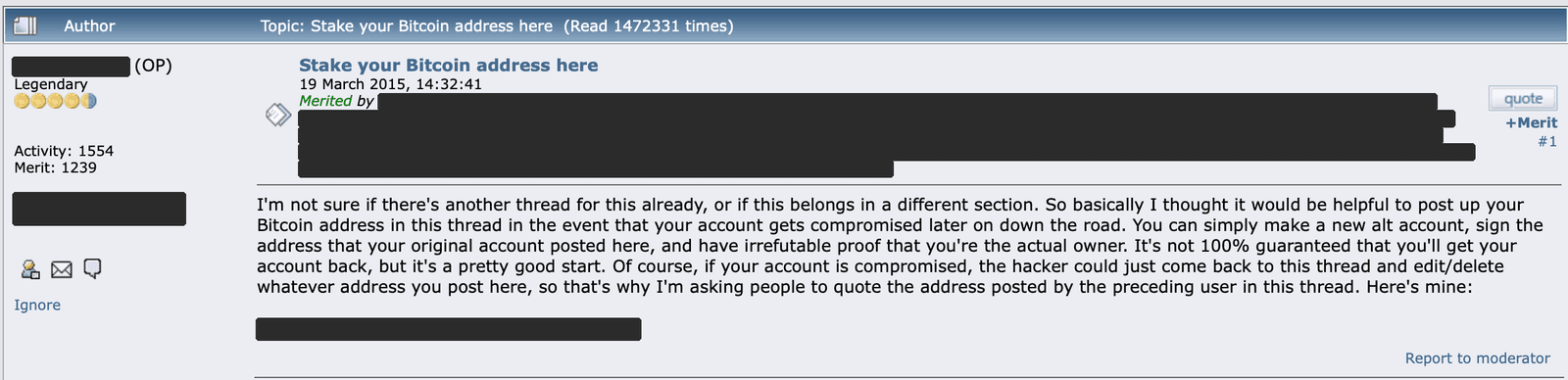
Post an address you control in the long-running staking thread while your account is safe; if the account is ever taken, a message signed with that address proves you are the original owner.
source · accessed 2026-09-07 · The opening poster's name, personal text, merited-by list and staked address are solid bars; the signature ads are cropped out.
Before you stake, check three things:
- Use an address whose key you hold. Never an exchange deposit address — you cannot sign with an exchange's key.
- Confirm your wallet can sign a message with it. Not every wallet can sign from every address type. Sign and verify a test message before you post.
- Keep it separate from payments. Anyone can look up a staked address and link it to your account, so use one you do not receive income on, and keep its backup as carefully as any other key.
Account recovery in practice
The administrator, theymos, keeps the current recovery instructions in one thread. Read it there rather than copying contact details from anywhere else — the recovery contact changes over time, and the thread always has the current one.
BTRecovering hacked/lost accountsbitcointalk.orgIn short, it covers four situations:
- Account locked: the error message you see should name an address to email for further instructions.
- Banned: the ban message may include an address you can appeal to. If it does not, an appeal is unlikely to succeed.
- Hacked: email the recovery address given in the thread, ideally from the email registered on the account, with your username and a brief account of how and when it was taken.
- Forgot your password: try the forum's email password reset first and check your spam folder. If that fails, contact the same recovery address, again ideally from the account's email, with your username.
For hacked and lost accounts, expect to be asked for a signature. That has two parts: show that a Bitcoin address or PGP key is tied to the account — for example, an unedited post where you published it — and then sign a message with that key naming the account, the email it should be reset to, and the current date.
That first part is exactly what a staked address gives you. Without one, you may have nothing to prove ownership with, and the account may be gone for good. Do not expect a fast or guaranteed outcome either way.
This is why prevention matters more than recovery.