Posting + Media Tools
Bitcointalk's editor is minimal BBCode. Community-built tools fill the gaps: image hosting that doesn't break, BBCode generators for complex tables, and content archivers.
Image hosting
The forum doesn't host images. You link to external hosts in your posts. The wrong choice = broken images months later. The forum also loads post images through its own image proxy — when the proxy cannot or will not fetch an external image, readers see an error placeholder where your picture should be.
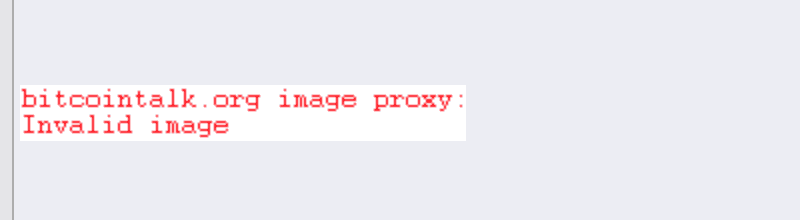
When the forum's image proxy cannot fetch an external image, readers see an error placeholder — choose hosts the proxy serves reliably.
Bitcointalk screenshot · Supplied by the Academy operator on 2026-09-07; no member data, nothing redacted.
Three hosts members commonly use:
- imgbb.com: a general-purpose free image host. When you upload, check the settings so the image is not set to expire.
- BitList image hosting, by TryNinja: hosts images and resizes them for use on the forum.
- TalkImg, by joker_josue: an image host built for Bitcointalk members.
The two forum-built hosts have announcement threads, which is where their authors post changes and outages:
BT⭕️ BitList.co - Image hosting & resizing for Bitcointalkbitcointalk.org BTTalkImg.com - Image hosting for BitcoinTalkbitcointalk.orgHosts change their terms, and the one that is right today may not be in two years. Judge every host, these included, on the same criteria.
Before using a host for a post you want to last, check three things:
- Does it keep images without requiring an account or a payment to stay up?
- Does it keep old uploads instead of purging them, and keep the same URL rather than rotating it?
- Does it work with the forum's image size limit and the formats the forum can display?
One more thing to weigh: if you host images on your own account or server, you are the single point of failure. If you stop paying, or lose access, every image in every post you ever made breaks at once.
For permanent reference posts, also save the image locally so you can re-upload if the host dies.
BBCode
Bitcointalk uses BBCode, not Markdown. Tags like [b], [quote], and [code] wrap the text you type, and the forum renders them into formatting when the post is displayed.
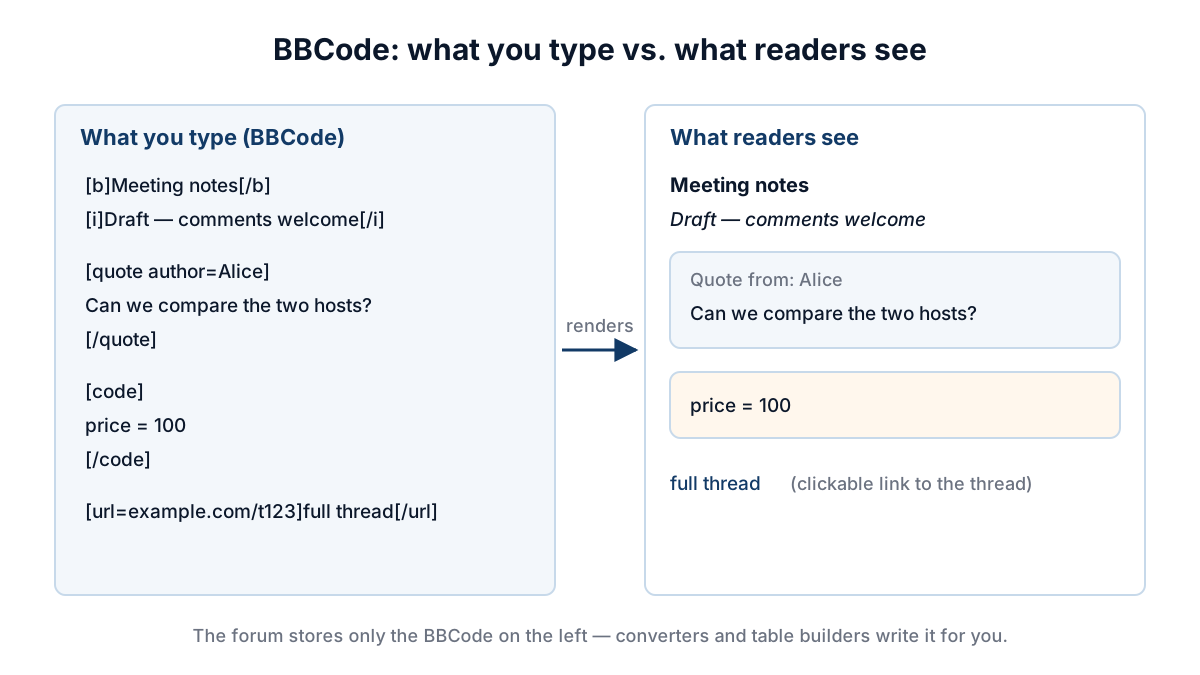
BBCode tags are stored as plain markup; the forum renders them into formatting when the post is displayed.
Academy original
Learning BBCode
A good free course is roslinpl's lesson thread, running since December 2016. Its numbered lessons start with the forum's signature rules and signature height, then move through table layouts, drawing with BBCode, colours and gradients, sizing images inside tables, and saving characters in long designs. Some lessons come with video tutorials.
BT[LEARN] BBCode Lessons & Tutorials [+tutorial videos!]bitcointalk.orgWhat you can put in a signature, from links to colours to tables, depends on your rank. The thread's first lesson tabulates those limits as they stood in 2017, and at least one row has since changed: from September 2018, Newbies cannot set a signature at all (topic 5030366, by theymos). Read that table as history rather than current rules, and check what your own rank allows before you design a signature around it.
Generators and helpers
Writing long technical posts with tables / nested quotes / code blocks gets tedious. Community helpers:
- Markdown → BBCode converters — paste markdown, get clean BBCode
- Table builders — UI for constructing BBCode tables
- Quote nesters — for properly nested multi-level quotes
- Code-block formatters — preserves indentation correctly
Archive bots
For thread preservation:
- Archive.org / Archive.today bookmarklets — one-click archival of any forum thread
- Community snapshot projects — some members publish regular snapshots of forum data; find the current ones through Meta
- Personal archive scripts — for serious researchers, wget/curl scripts to back up specific threads
Useful when:
- You're documenting a scam case (preserve evidence before scammer edits)
- You want to retain content you authored in case the forum changes
- You're writing about historical forum events that may get edited
Screenshots and evidence
For evidence, archive the page itself rather than screenshotting it — an independent archive with a date is far stronger than an image you made. A screenshot is easy to produce and easy to doubt; anyone reading a dispute knows that.
Screenshots are still useful for illustration and for your own notes. Use whatever capture tool you already have, and pair anything that matters with an archive link.
Browser extensions
A small ecosystem of forum-specific extensions exists:
- Profile-card popups on username hover
- Auto-collapse signatures (lowers visual noise)
- Reputation board auto-highlighting
Quality varies. Read the source before installing. Some have been abandoned + may have outdated security.