Search Tools
The forum's built-in search is famously slow and lossy. Community-built search tools dramatically outperform it and unlock workflows the native search can't support — like cross-referencing a user's complete history or finding deleted posts.
Still, learn the native advanced search form first: it can scope a query to chosen boards, a single author, and a date range before you run it.
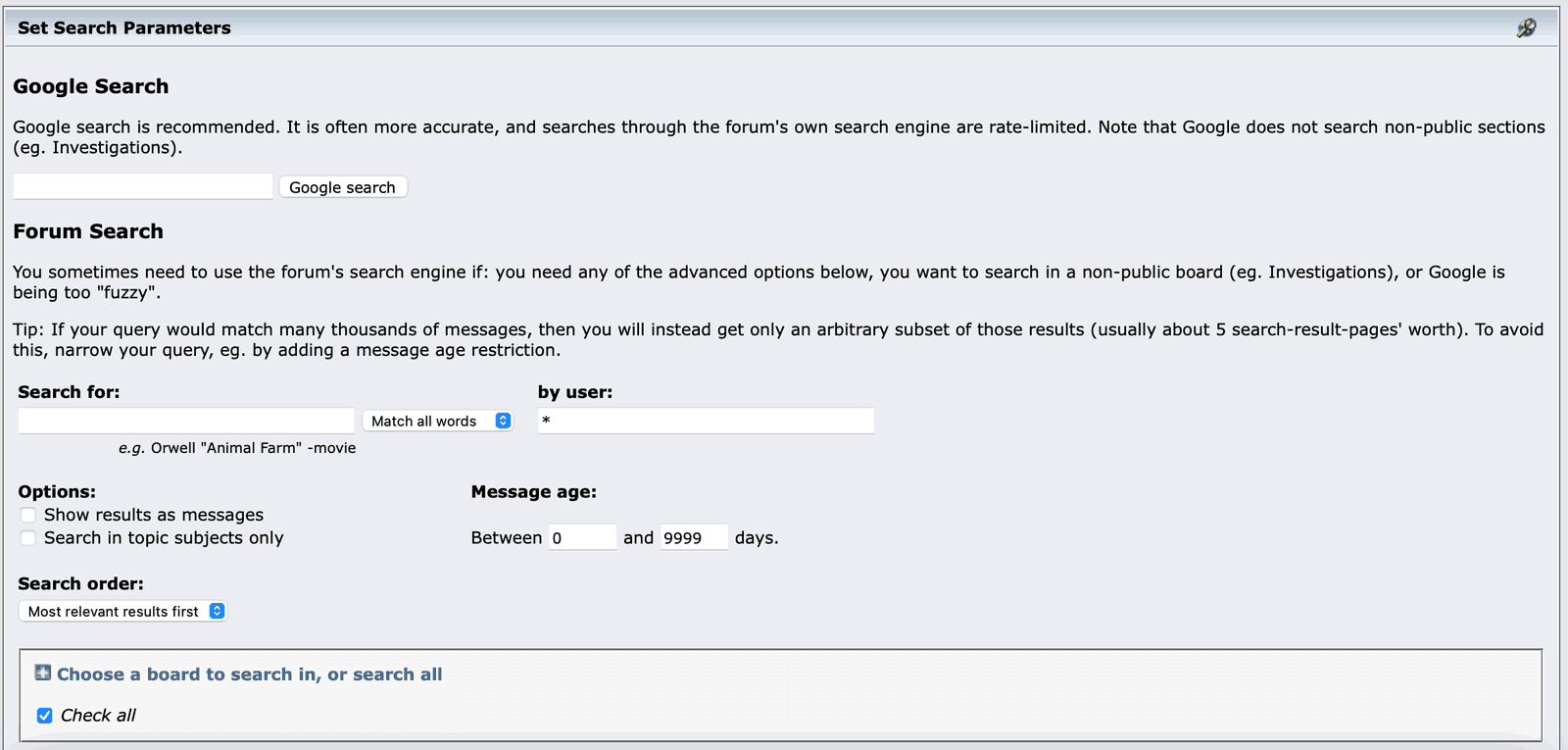
Forum search can narrow a query to one author, a message-age range, and chosen boards; the page itself recommends Google search first, noting that forum search is rate-limited.
source · accessed 2026-09-07 · No member data in the crop; nothing redacted.
BitList search (formerly Ninjastic.space)
The most-used unofficial Bitcointalk search and archive, built by TryNinja. It began as Ninjastic.space and has since moved to BitList, where it now lives at bitlist.co/search. When older guides mention Ninjastic, this is the tool they mean. The new version adds more filters and shows merit and edits on archived posts. Features:
- Full-text search across the entire forum, faster than native
- Per-user post browsing — every post a user has made, filterable
- Board / topic filtering — narrow searches without the native form
- Date range queries
- Merit-received filter — find the best posts in a board
Bookmark it. It is widely used. The announcement thread is the place to check for changes and the current address:
BT⭕️ BitList.co - Bitcointalk Archive | Data Visualization & Search 🔍 [Ninjastic]bitcointalk.orgTalkSearch
TalkSearch (talksearch.io), built by NotATether, is an alternative full-text search with different relevance ranking. Sometimes it finds posts BitList misses, and vice versa. Worth keeping both bookmarked.
BTTalksearch.io - Advanced Bitcointalk Search Enginebitcointalk.orgCommunity archives
Some members publish regular snapshots of forum data. Between them they cover:
- Daily merit transactions — see who got merit from whom
- Recent rank changes — who hit new ranks recently
- Weekly forum stats — active users, post counts, board activity
- Deleted-post archives — within a short retention window, recover posts that mods removed
These are useful when you are investigating a counterparty's recent history, or documenting a dispute where a post was edited or removed after you saw it. They are personal projects, so check which ones are currently running before relying on any of them.
Using these for research
Common workflows:
Do
- Before transacting with someone, search BitList for their full history
- When researching a project, search for its name across the Reputation board
- When verifying a claim, find the original thread + post via TalkSearch
- When evaluating a campaign manager, audit their past campaigns via their full post history
Don't
- Trust profile summaries alone — search the post history yourself
- Rely on the native search for time-sensitive research
- Forget to cross-reference deleted posts against a community archive
- Use these tools to harass — they accelerate doxxing too
Search-driven trust
The best forum due-diligence routine:
- Click counterparty's profile
- Open their BitList user page in a new tab
- Sort their posts by date — look for sudden topic shifts, which are one sign an account may have changed hands
- Filter by Reputation board — see if they've been called out
- Filter by their highest-merit posts — assess their actual capabilities
This check takes a few minutes and catches many of the problems that lead to bad trades.
Limits of these tools
- All are community-maintained and can break/disappear
- None capture every edited revision of a post
- They index the forum periodically, so very recent posts may not appear yet
- They cannot see private messages